
Xenteq ES inverter remote port: wiring and phone control
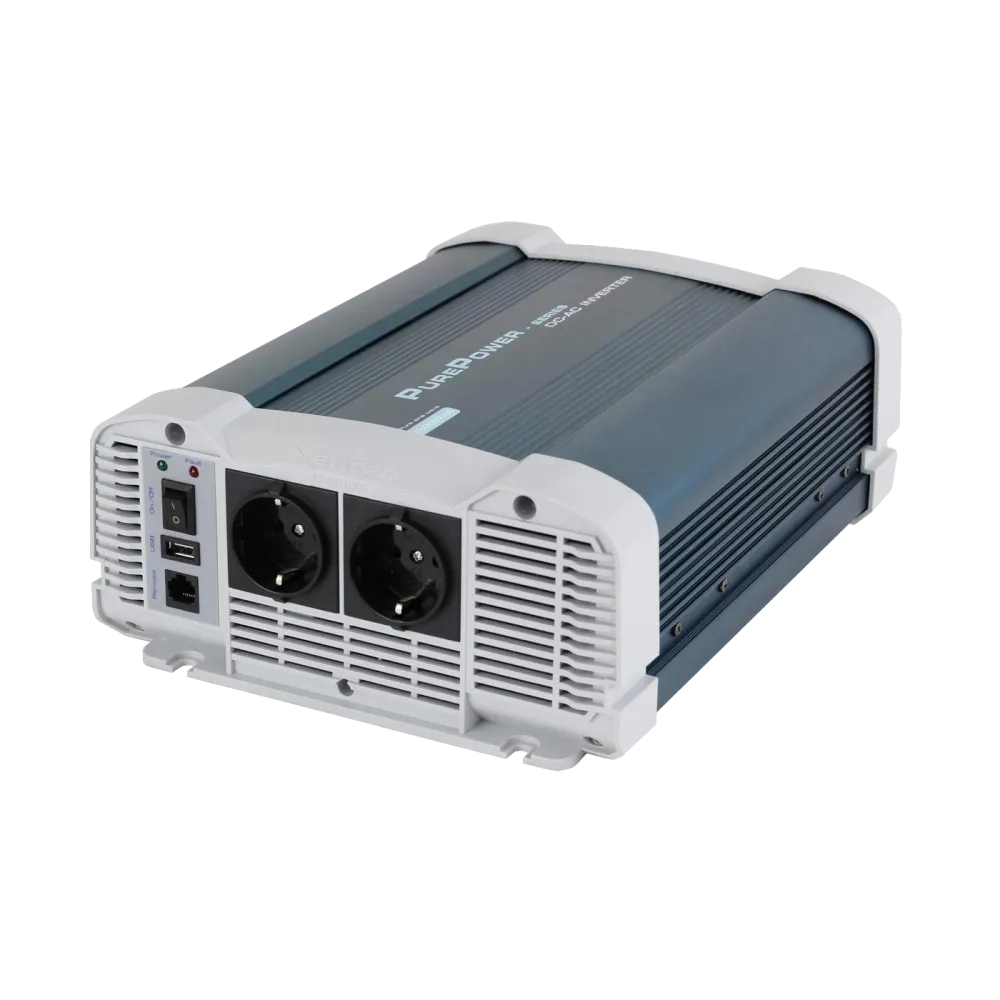
Xenteq RJ11
- ES-1000
- ES-1500
- Unbranded 1000W pure sine (2000W peak), same OEM
The older Xenteq ES-series pure sine inverters have an RJ12 jack for Xenteq’s optional remotes. That jack is all our Inverter Controller needs. There is no digital communication on it: two of its pins are wired in parallel with the inverter’s own on/off switch, so connecting them does exactly what flipping that switch does.
Because it works like the main switch, it latches: the inverter stays on for as long as the two wires are connected and turns off when they’re released. Our controller does the same thing. Leave the switch on the inverter itself off, otherwise the remote can’t turn it off.
There is one catch. As far as we know, the jack has no line that tells you whether the inverter is running; the ground pin is only there to light an LED in a switch. That means our controller can switch your Xenteq on and off, but it can’t read back whether the inverter is actually running.
Which wire does what
Xenteq doesn’t publish the pinout. An owner of an ES-1500 measured it on their own unit:
- Pin 1: ground
- Pin 4: supply
- Pin 6: on
Connecting pin 4 to pin 6 turns the inverter on. We don’t know which side of the jack the numbering starts from or the wire colours. Older Xenteqs look a lot like Ective inverters, but the pins reported for the two are different, so don’t go by an Ective pinout.
Checking it with a multimeter
This pinout comes from one owner’s notes, and they added “measure it first, no guarantee” themselves, so please do. Plug an RJ12 cable into the inverter, with the inverter’s own switch off, and look at the loose end. Put the multimeter on DC and measure each wire against the battery negative: the supply wire (pin 4) is the one that gives a reading. That also tells you which side the numbering starts from. Now connect pin 4 to pin 6: the inverter should start, and stop again when you separate them. If it does, you’re good to go.
One thing to watch out for: Xenteq has sold several generations of inverters, and this pinout is for the older ES-1000 and ES-1500. The same inverter is also sold without a brand, as a 1000 W pure sine with 2000 W peak, and very likely works the same way. Newer Xenteq models may use something else.
Further reading
We haven’t had a Xenteq on our own bench yet. The pinout on this page comes from one ES-1500 owner on the Dutch camperforum.nl, who measured their own unit and also explains that older Xenteqs have their remote pins in parallel with the main switch. These threads are worth a read if you want the details:
Xenteq® is a trademark of its respective owner. VanTurtle is not affiliated with, endorsed by, or sponsored by Xenteq. We only mention them to show compatibility.
Switch it from your phone
Our Inverter Controller plugs into the Xenteq remote port and lets you switch it over Bluetooth, from the Home app on iPhone or Device Controls on Android. No cloud or hub, so it keeps working off-grid. Tell us your model when you order and we’ll set it up for this pinout before it ships. From €19,99.
