
VertaMax inverter remote port: wiring and phone control
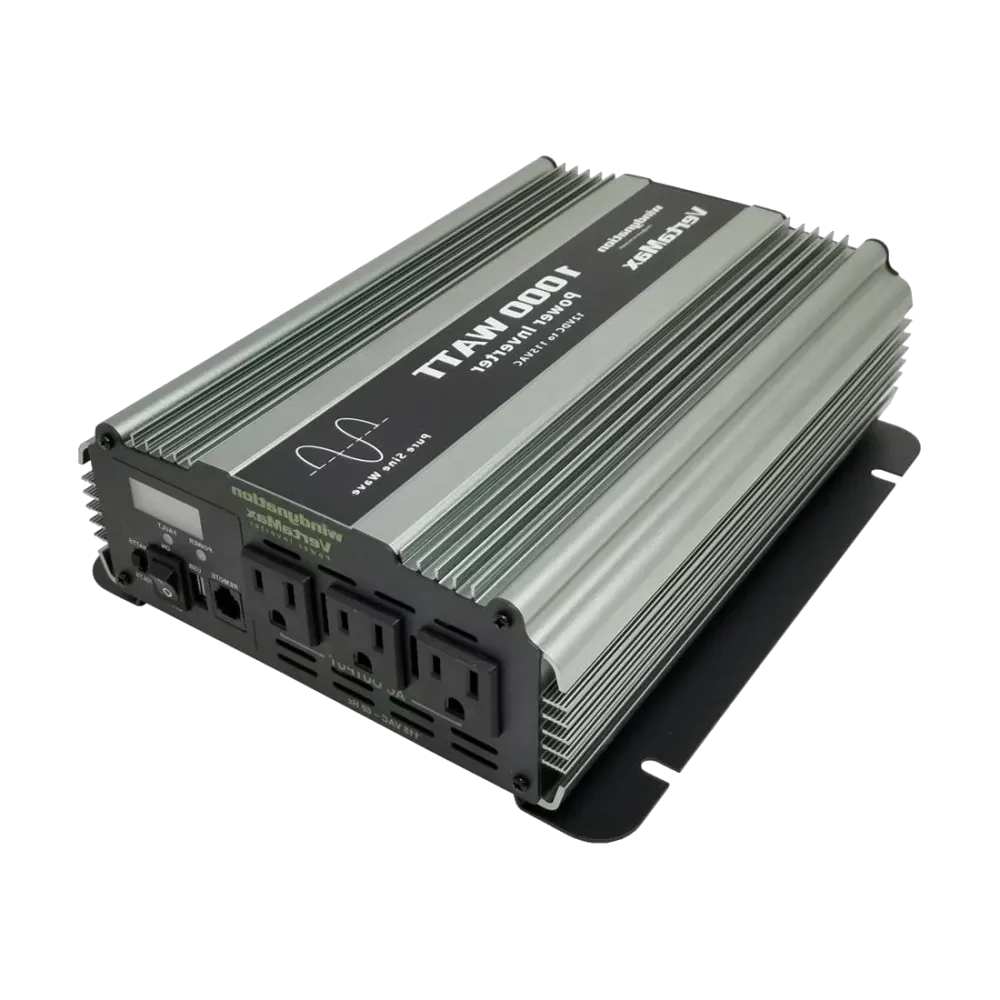
VertaMax (WindyNation) RJ11
- VertaMax 1000W pure sine
- VertaMax 1500W pure sine
- VertaMax 3000W pure sine
- VertaMax 1000W / 1200W modified sine
- All VertaMax models with a Remote port on the cover plate
WindyNation’s VertaMax inverters, both pure sine and modified sine, have a Remote Switch Port on the cover plate. It’s meant for WindyNation’s optional PIN-RMPS-01 remote: a small panel with separate ON and OFF buttons on a 5 m cord. Our Inverter Controller plugs into that same port and takes the remote’s place.
Rocker on OFF, or the remote does nothing
This one catches people out. For the remote port to take over, WindyNation’s manual says to put the rocker switch on the inverter itself in the OFF position. It looks like you’ve switched it off for good, but you haven’t. The green power LED still lights up when the inverter is switched on remotely, and our controller reads that same signal to tell you whether it’s actually running.
Why bother switching it from your phone
The manual says a VertaMax draws up to 1 A while it’s on, even with nothing plugged in. Forget it overnight and that’s up to 12 Ah gone from your van battery by morning. Being able to check it from bed and switch it off is pretty much why this controller exists.
Finding the ON and OFF wires
WindyNation doesn’t publish the pinout. Because the remote has two buttons, you’re looking for an ON contact, an OFF contact and the power LED pair. Check before you solder anything:
- Unplug the cord from the remote and set your multimeter to continuity on the remote’s own jack. Hold ON and note which pins beep, then do the same with OFF.
- Plug the cord into the inverter only, with the rocker on OFF. Briefly connect the ON wires at the loose end and the inverter starts. Connect the OFF wires and it stops.
- Set the multimeter to DC volts and look for the pair that shows a voltage while the inverter runs and nothing when it’s off. That’s the power LED.
Which models have the port
WindyNation’s current manuals list the Remote Switch Port on the 1000 W pure sine (PIN-1000-12P) and 1200 W modified sine (PIN-1200-12M), and on the 1500 and 3000 W models in both versions (PIN-1500-12P, PIN-3000-12P, PIN-1500-12M and PIN-3000-12M). Older VertaMax inverters without the port can’t be switched this way, so look for it before you order.
On the 1500 and 3000 W models, each outlet has its own breaker, and they ship in the off position. If the green LED comes on but nothing gets power, check those first.
Further reading
What’s on this page comes from WindyNation’s own VertaMax manuals and the remote’s product page, together with our own experience with these inverters. These are worth a read if you want the details:
- VertaMax 1500W and 3000W owner’s manual (PDF)
- VertaMax 1000W and 1200W owner’s manual (PDF)
- WindyNation: VertaMax remote on/off switch
VertaMax® and WindyNation® are trademarks of their respective owners. VanTurtle is not affiliated with, endorsed by, or sponsored by VertaMax or WindyNation. We only mention them to show compatibility.
Switch it from your phone
Our Inverter Controller plugs into the VertaMax remote port and lets you switch it over Bluetooth, from the Home app on iPhone or Device Controls on Android. No cloud or hub, so it keeps working off-grid. We’ve seen it work with this one, so tell us your model when you order and it arrives ready to go. From €19,99.
