
FCHAO inverter remote port: wiring and phone control
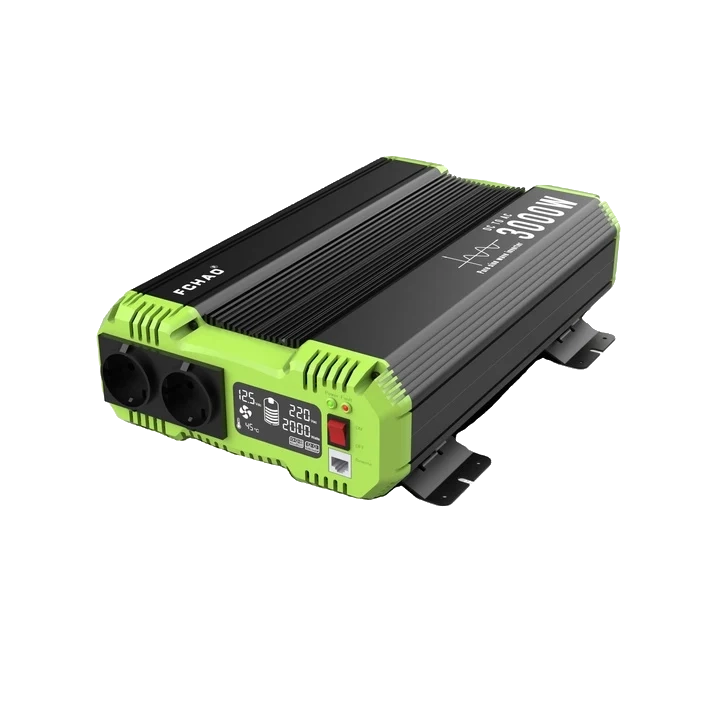
FCHAO RJ45
- Off-grid pure sine 2500W
- Off-grid pure sine 3000W
- Other off-grid models with the RJ45 LCD display
FCHAO’s off-grid pure sine inverters come with a small LCD display that plugs into an RJ45 port on the inverter. Most of what goes over that cable is data for the display (RS485), which our controller leaves alone. But the on/off switch on the display is a plain switch on two separate wires, and that’s all our Inverter Controller needs.
The display’s switch latches: it connects the on/off line to ground for as long as the inverter should be on, and releases it to turn it off. Our controller does the same thing. You can keep the original display connected for its readings; just leave its own switch off and let the controller do the switching.
There is one catch. The inverter doesn’t have a simple LED line we can read; everything the display shows comes in as data. That means our controller can switch your FCHAO on and off, but it can’t read back whether the inverter is actually running.
Which wire does what
Different sources count the pins from different ends of the plug, so we’d rather go by wire colour. On a standard T568B network cable:
- Blue and green are the on/off line (the switch connects both to ground)
- Brown and white-brown are ground
- Orange and white-orange are the RS485 data for the display
- White-green and white-blue are not used for switching
These colours come from a 2500 W unit. The 3000 W documentation numbers the pins the other way round, but describes the same layout: two on/off pins next to two ground pins.
Checking it with a multimeter
Cables and inverter revisions differ, so check before you solder anything. First put your multimeter in continuity mode on the display end: blue and green should beep to brown only while the display’s switch is on. Then unplug the display and connect blue and green to brown at the loose cable end that goes to the inverter: the inverter should start, and stop again when you let go. If it does, you’re good to go.
One thing to watch out for: FCHAO sells many different inverters, and not all of them have this display or port. This page is about the off-grid pure sine models with the RJ45 LCD display.
Further reading
We haven’t had an FCHAO on our own bench yet. The pinout on this page comes from an open-source ESPHome project, built and tested on a 3000 W unit, and from a 2500 W owner who traced the wiring on the display’s circuit board and now switches their inverter with a relay. They agree. These pages are worth a read if you want the details:
- GitHub: ESPHome FCHAO inverter integration
- GitHub: confirmed working on FCHAO 2500W (pinout and relay)
- Home Assistant community: ESPHome component for FCHAO off-grid inverters
FCHAO® is a trademark of its respective owner. VanTurtle is not affiliated with, endorsed by, or sponsored by FCHAO. We only mention them to show compatibility.
Switch it from your phone
Our Inverter Controller plugs into the FCHAO remote port and lets you switch it over Bluetooth, from the Home app on iPhone or Device Controls on Android. No cloud or hub, so it keeps working off-grid. Tell us your model when you order and we’ll set it up for this pinout before it ships. From €19,99.
