
Novopal inverter remote port: wiring and phone control
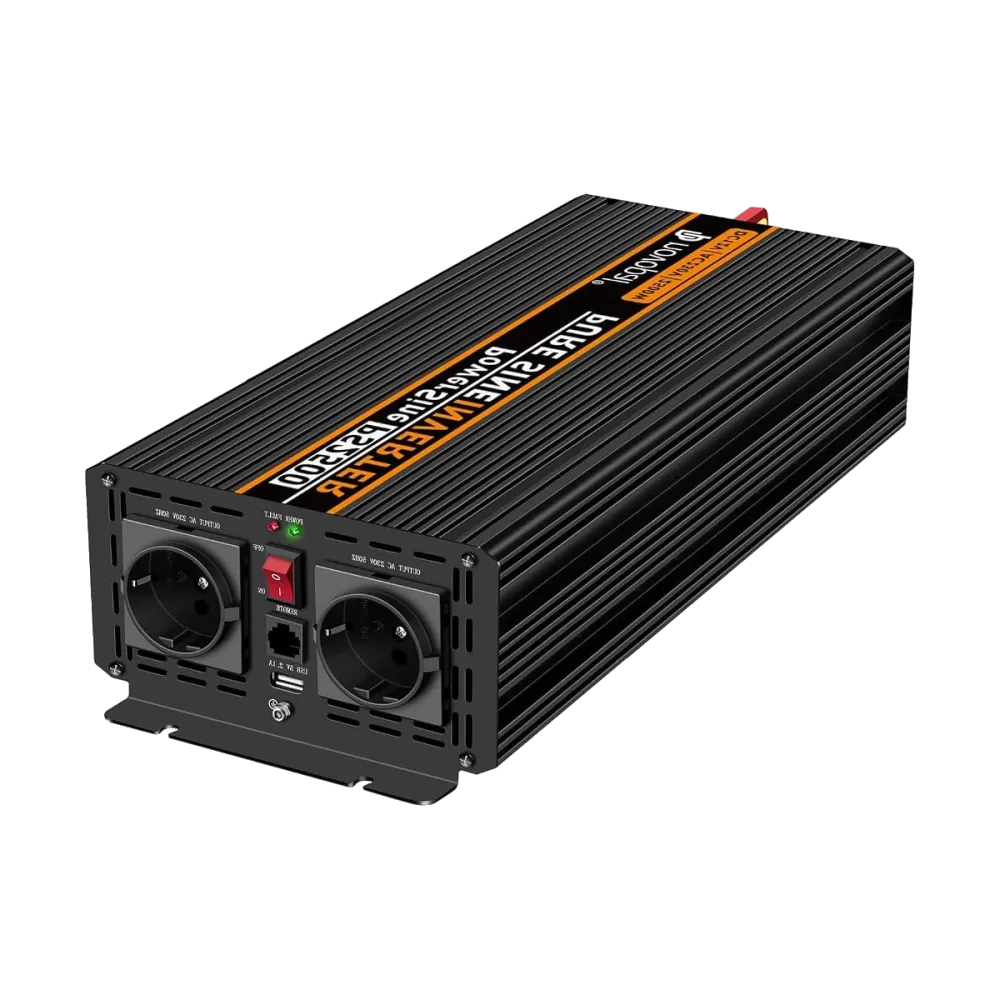
Novopal RJ45
- Pure sine 1500W (wired remote)
- Pure sine 3000W (wired remote)
- Other Novopal models with an RJ45 REMOTE port
Novopal ships its larger pure sine inverters with a wired remote on a 5 m cable that plugs into an RJ45 port marked REMOTE. Some versions of that remote add a battery level indicator and an alarm, but at heart it’s an on/off button for an inverter that’s hard to reach.
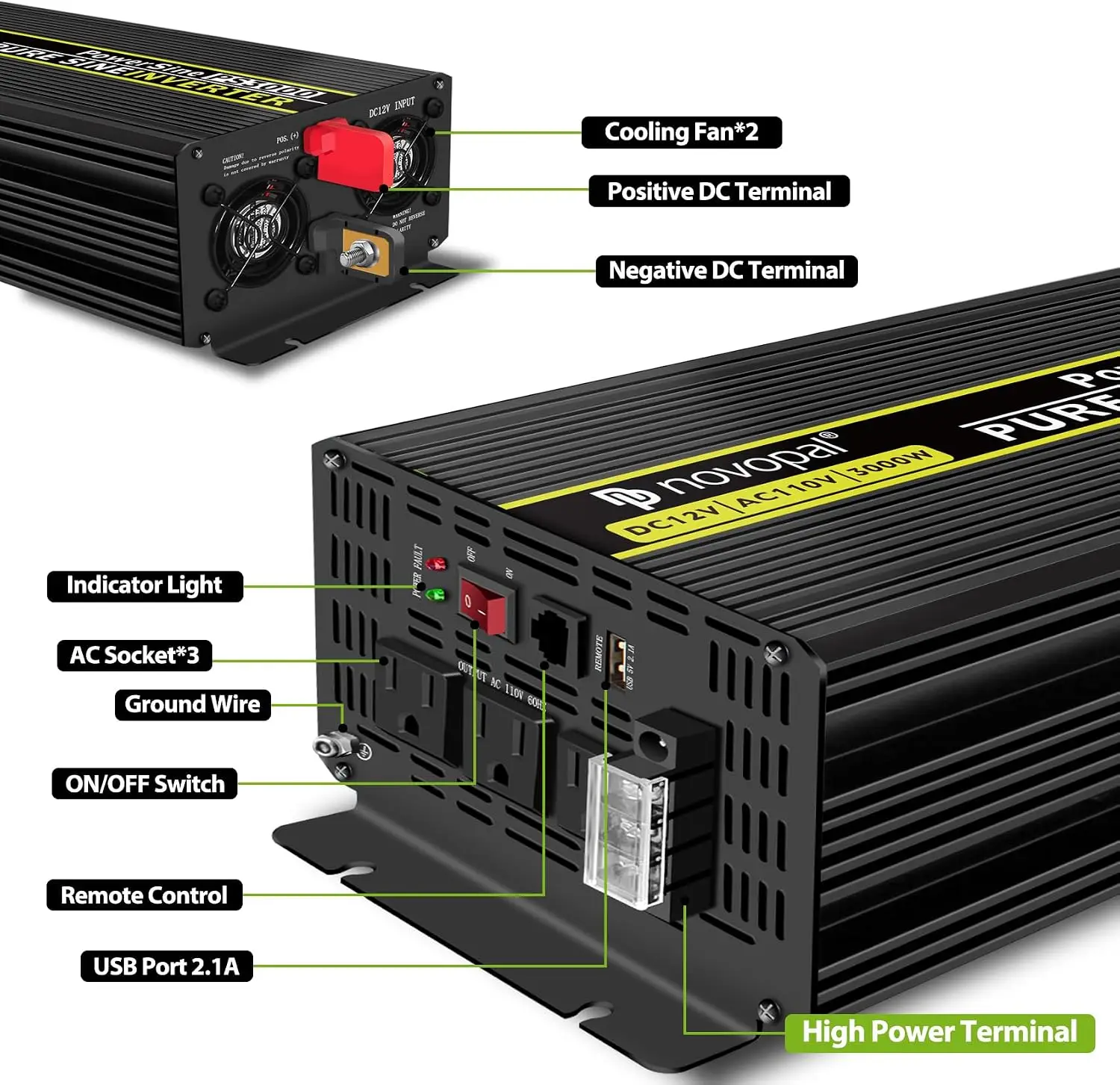
The Remote Control jack on the 3000 W model (NGY3000PUS12), right next to the main switch. Picture from Novopal’s manual.
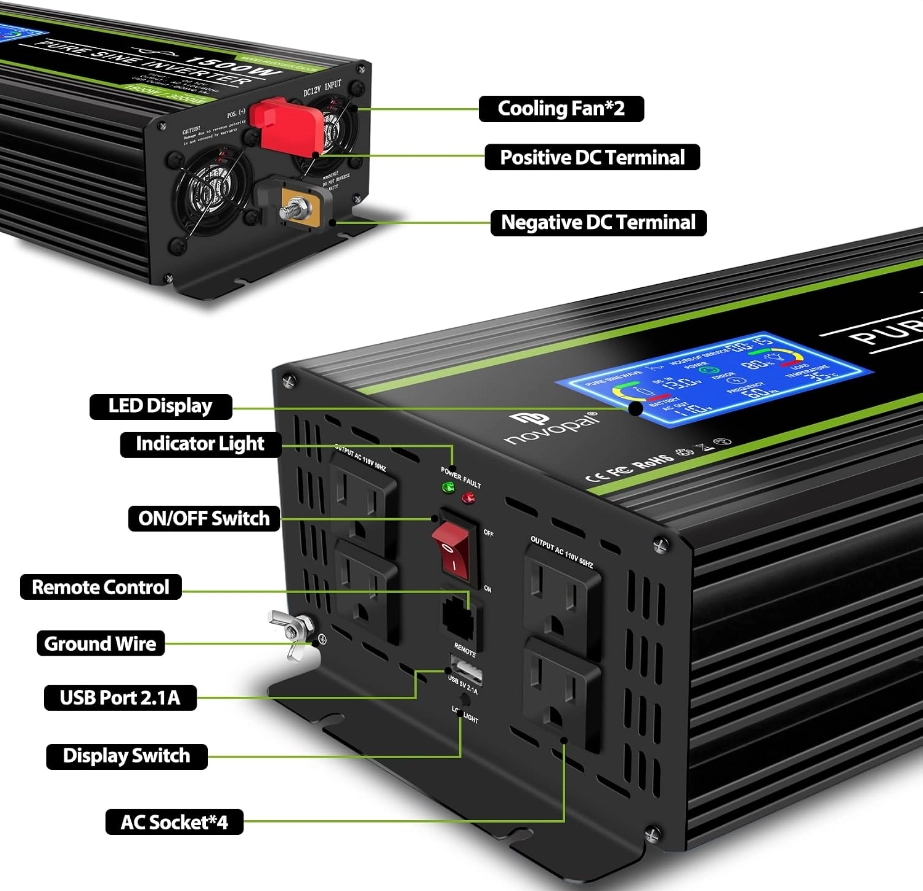
Same idea on the 1500 W model with the LCD (LCD15US12B): the jack is just below the main switch. Picture from Novopal’s manual.
The manual tells you to switch the inverter’s own main switch to OFF before using the remote. That’s a good sign for us: it usually means the remote’s button sits in parallel with the main switch and simply closes a contact. If so, it latches, and the inverter stays on for as long as that contact is closed. Our controller can do exactly that.
Whether the remote also has a plain “on” light we can read depends on the version. If yours only shows battery bars, our controller can still switch the inverter, but may not be able to show you whether it’s running.
Finding the right wires
Novopal doesn’t say which of the eight wires does what. Two of them will be the switch, and with a bit of luck another pair drives an on light. Anything feeding the battery indicator is best left alone.
Testing it before you solder
Put the inverter’s main switch on OFF, unplug the cable at the remote and set your multimeter to continuity on the remote’s jack. Switch the remote on and look for the pair that beeps; switch it off and it should go quiet. That’s the switch. Now plug the cable into the inverter only and join those two wires at the loose end. The inverter should start and keep running until you separate them. Note the wire colours and send them along with your order.
Further reading
We haven’t had a Novopal on our bench yet. What’s above is based on the Novopal manuals on Manuals+, mainly the one for the 3000 W model:
- Manuals+: Novopal DLCD3000PEU12 3000W 230V pure sine inverter manual
- Manuals+: Novopal LCD15US12B 1500W pure sine inverter manual
- Manuals+: Novopal NGY3000PUS12 3000W pure sine inverter manual
- Manuals+: Novopal LCD1500W 24V pure sine inverter manual
Novopal® is a trademark of its respective owner. VanTurtle is not affiliated with, endorsed by, or sponsored by Novopal. We only mention them to show compatibility.
Switch it from your phone
Our Inverter Controller plugs into the Novopal remote port and lets you switch it over Bluetooth, from the Home app on iPhone or Device Controls on Android. No cloud or hub, so it keeps working off-grid. Tell us your model when you order, and after a quick multimeter check on your end we’ll set it up for you. From €19,99.
