
Solartronics FS inverter remote port: wiring and phone control
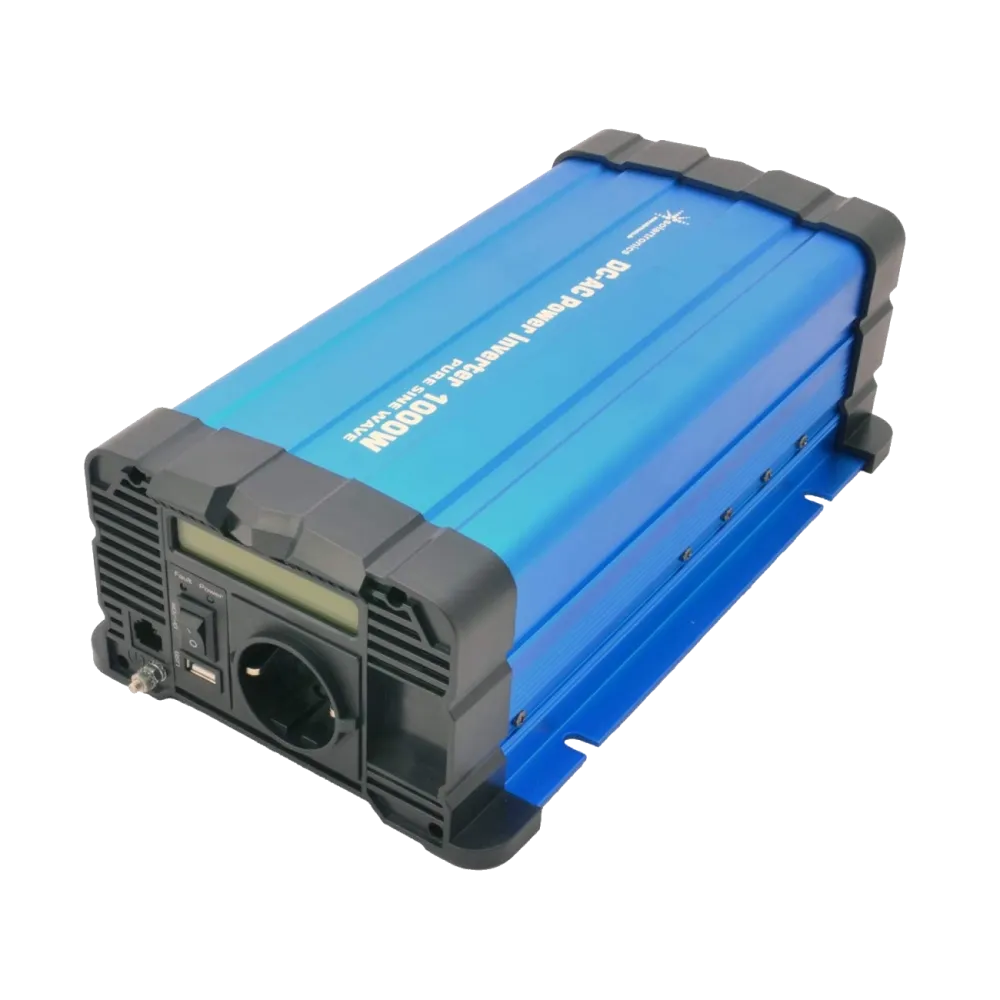
Solartronics RJ45
- FSxxxxD series (CR80 / CRW80 remote)
- FSxxxxDR series (CR80 / CRD80 / CRW80 remote)
Solartronics’ blue FS-series pure sine inverters have an RJ45 port marked “Remote” for their plug-and-play remotes: the CR80 switch, the CRD80 with a display, and the CRW80 wireless remote. That port is all our Inverter Controller needs. The fact that a simple wireless receiver plugs straight into the same port tells us on/off is a plain contact, not data.
According to the Solartronics manual, the switch on the inverter itself has to be set to OFF before the remote takes over. That means the remote works in parallel with the main switch, and it latches: the inverter stays on for as long as the remote’s two wires are connected and turns off when they’re released. Our controller does the same thing.
There is one catch. The only light on the CR80 is the red fault LED; there’s no “on” LED on the remote. That means our controller can switch your Solartronics on and off, but it can’t read back whether the inverter is actually running.
Finding the right wires
Solartronics doesn’t publish which pin does what. The remote connects with a network-style RJ45 plug, so a regular network cable is the easiest way to get the wires out. Two of the eight are the on/off switch; the multimeter check below tells you which two.
Checking it with a multimeter
We know how this remote works, but not yet which pins do what, so this check is the part that makes it work. Unplug the cable from the CR80 and put your multimeter in continuity mode on the remote’s own jack. Flip the remote’s switch on and test the pins against each other: the pair that beeps only while the switch is on is your switch pair. Write down the wire colours of that pair on your cable. Then plug the cable into the inverter only, with the inverter’s own switch on OFF, and connect those two wires together at the loose end: the inverter should start, and stop again when you separate them. If it does, you’re good to go.
One thing to watch out for: the CRD80 display remote talks to FSxxxxDR inverters in data to fill its screen. Our controller only needs the on/off switch, so it doesn’t matter which model you have, but leave the other wires alone. This page is about the blue FS series; we haven’t looked into the NK series yet.
Further reading
We haven’t had a Solartronics on our own bench yet. What’s on this page comes from the Solartronics manual for the FS and NK series, which explains how the remote takes over from the main switch but not the pin functions. Once a customer has done the check above, we’ll add the pinout here. These are worth a read if you want the details:
- Solartronics FS and NK series manual (PDF, German)
- Solartronics: CRD80 wired remote with display (German)
- Solartronics: wireless remote for the FS series (German)
Solartronics® is a trademark of its respective owner. VanTurtle is not affiliated with, endorsed by, or sponsored by Solartronics. We only mention them to show compatibility.
Switch it from your phone
Our Inverter Controller plugs into the Solartronics remote port and lets you switch it over Bluetooth, from the Home app on iPhone or Device Controls on Android. No cloud or hub, so it keeps working off-grid. Tell us your model when you order, and after a quick multimeter check on your end we’ll set it up for you. From €19,99.
