
MEXXSUN inverter remote port: wiring and phone control
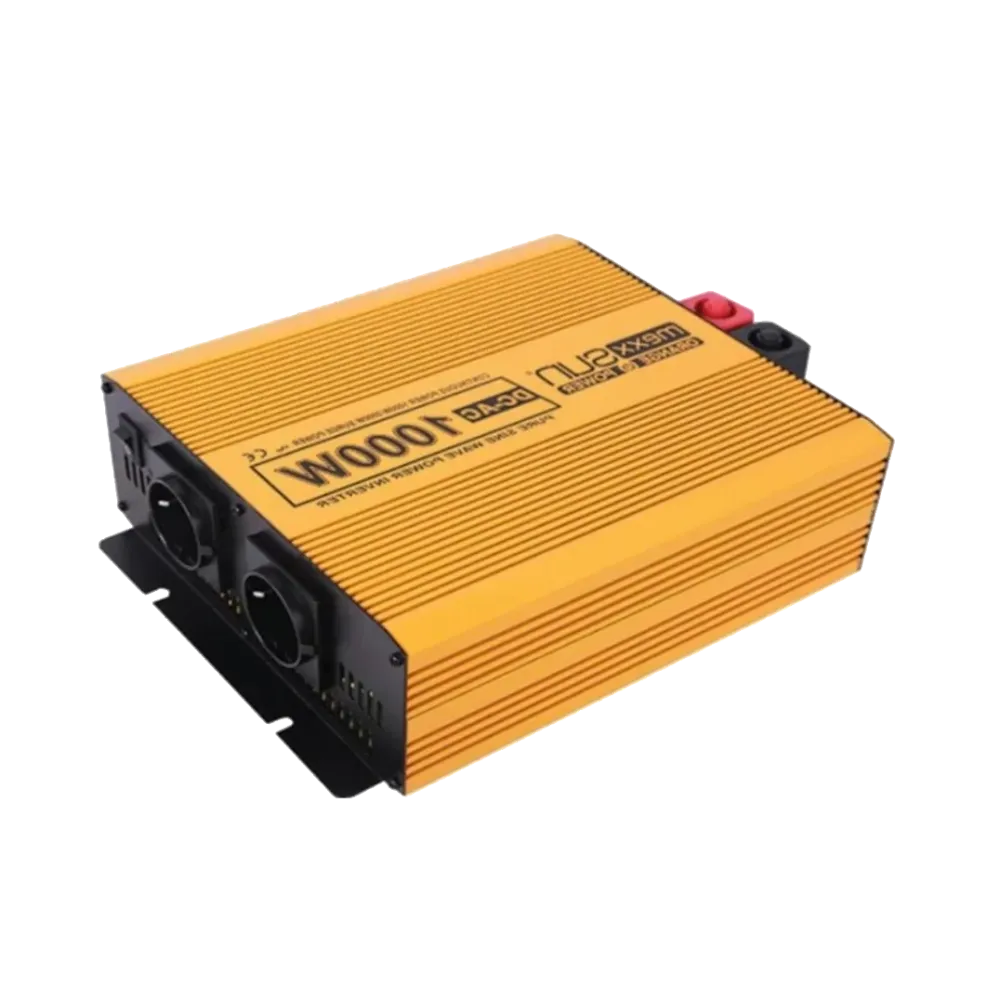
MEXXSUN RJ11
- MEX300TS
- MEX600TS
- MEX1000TS
- MEX1500TS
- MEX2000TS
- MEX3000TS
- MEXTC series (with charger and LCD remote)
MEXXSUN is a Turkish brand with two inverter lines that share one manual: the MEXTS pure sine inverters, from 300 to 3000 W, and the MEXTC series, which adds a battery charger and shore power. Both have a REMOTE jack on the front, right next to the green POWER and red FAULT lights and the 2.1 A USB port. That’s where our Inverter Controller plugs in.
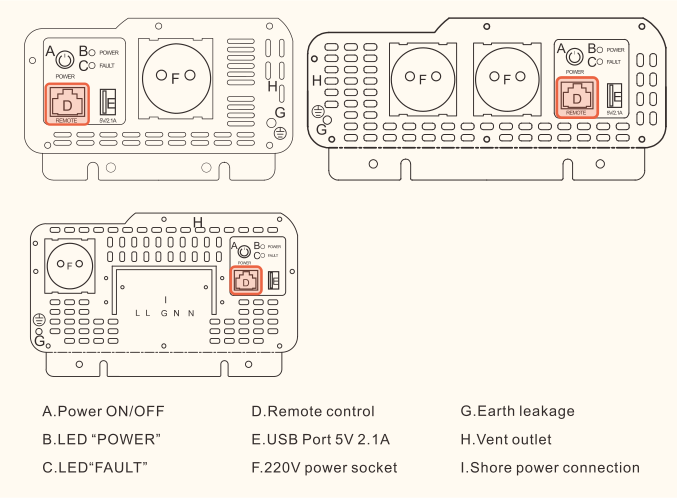
The REMOTE jack (D) on three MEXTS front panels. Drawing from MEXXSUN’s manual.
The REMOTE jack works like a push button: one short contact switches the inverter on, the next one switches it off. Our controller sends that same pulse, and watches the green POWER line so your phone shows whether it’s really running.
A cut-out MEXXSUN isn’t really off
When the battery runs too low or the voltage goes too high, a MEXXSUN cuts its AC output, but the inverter itself stays on. The manual warns that it keeps drawing power in that standby and can run your battery flat, and that you have to switch it off and on again before it’ll restart. It tells you what happened with beeps and the red FAULT light (12 V models):
- 2 beeps: battery below 10.8 V. Just a warning, it keeps running.
- 3 beeps: below 10.2 V, output off.
- 4 beeps: above 15.5 V, output off.
- 5 beeps: hotter than 75 °C inside, output off.
- 6 beeps: short circuit, output off.
- 11 beeps: overloaded, output off.
So if you hear it beeping from the cupboard, switch it off properly instead of leaving it.
MEXTC: shore power, charger and an LCD remote
The MEXTC models add a charger (up to 20 A on the bigger 12 V ones) and a mains priority circuit. Plug in shore power and the inverter’s sockets switch over to mains in under 16 ms, so it works like a UPS and stops draining the battery. Pull the plug and they’re back on the inverter. Three extra lights show AC-IN, BY-PASS and CHARGE.
MEXXSUN sells a remote with an LCD screen for the MEXTC series, with a 5 m extension cable. It shows battery level and voltage, power use, output voltage and whether you’re on inverter or shore power. Those readings come in as data over the same cable. The on/off button is very likely still a plain contact, but check it before you rely on it.
Finding the switch and the power light
MEXXSUN doesn’t publish the pinout. On the units we’ve had on the bench, the switch pair is at one edge of the plug. To be sure before you solder anything:
- If you have a remote, unplug it and set your multimeter to continuity on its jack. The pair that beeps only while you hold the button is the switch.
- Plug the cable into the inverter only and briefly connect those two wires at the loose end. The inverter should start, and the next touch should stop it.
- With the inverter running, set the multimeter to DC volts and find the pair that shows a voltage, and nothing once it’s off. That’s the POWER line.
On a MEXTC, the remaining wires most likely carry the display data, so leave them alone.
Further reading
What’s on this page comes from MEXXSUN’s own manual for the MEXTS and MEXTC series, together with our own experience with these inverters. These are worth a read if you want the details:
MEXXSUN® is a trademark of its respective owner. VanTurtle is not affiliated with, endorsed by, or sponsored by MEXXSUN. We only mention them to show compatibility.
Switch it from your phone
Our Inverter Controller plugs into the MEXXSUN remote port and lets you switch it over Bluetooth, from the Home app on iPhone or Device Controls on Android. No cloud or hub, so it keeps working off-grid. We’ve seen it work with this one, so tell us your model when you order and it arrives ready to go. From €19,99.
