Differences between Maxxair RJ45 and RJ11 ports
MaxxAir fans expose their control signals through external connectors intended for optional wall-mounted control panels. Depending on the fan model, these connectors can include an Ethernet-style port (RJ45) and/or a phone-style port. While commonly referred to as RJ11, the phone-style connector used by MaxxAir is actually a RJ25 as only four conductors are populated. For clarity, this document will refer to it as RJ25.
We’ve never seen a Plus or Deluxe model that does not include the RJ25 port. Most Deluxe models also include the RJ45 port, while Plus models typically do not. The ports are located directly on the fan’s control PCB and are intended to interface with first-party wall control panels.
Below is an example of the ports as found on a typical MaxxAir control board:
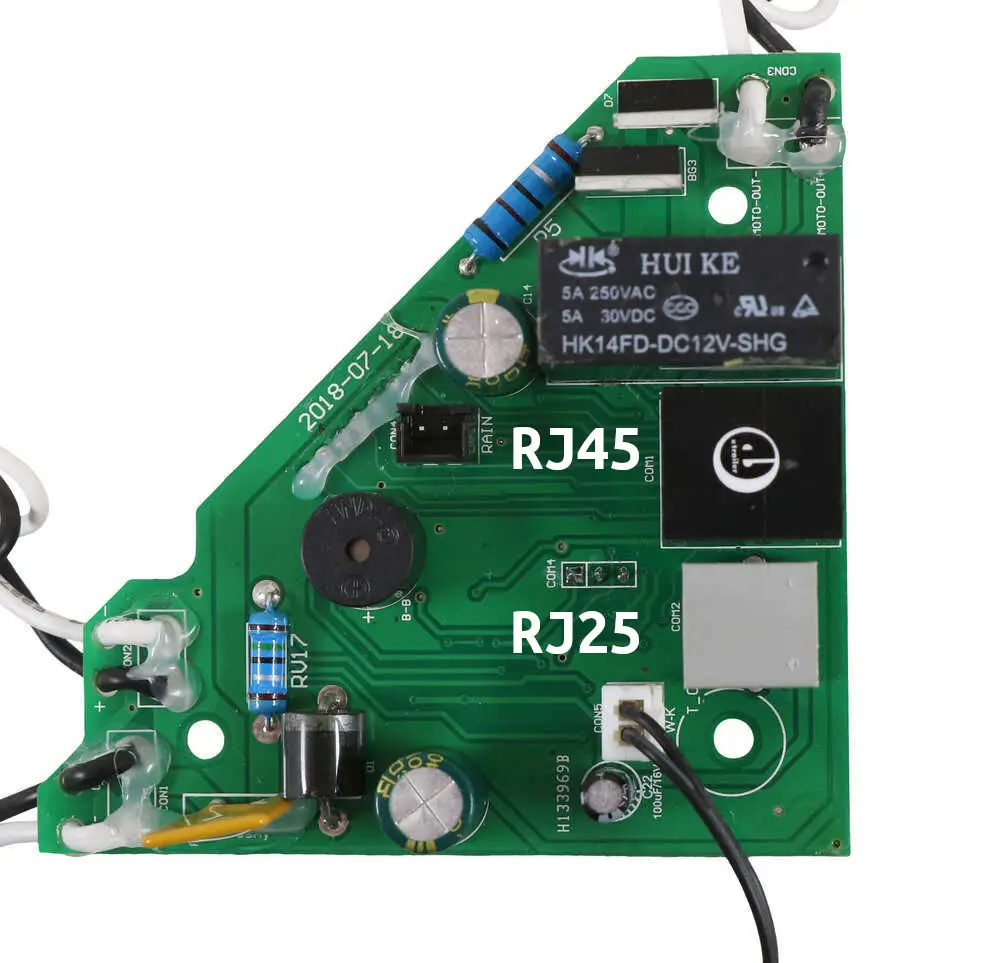
There is no digital communication involved, the fan responds purely to changes in analog signal states. Different wall panels exist for Plus and Deluxe models, and the available buttons on each panel directly reflect the capabilities exposed by the corresponding port:
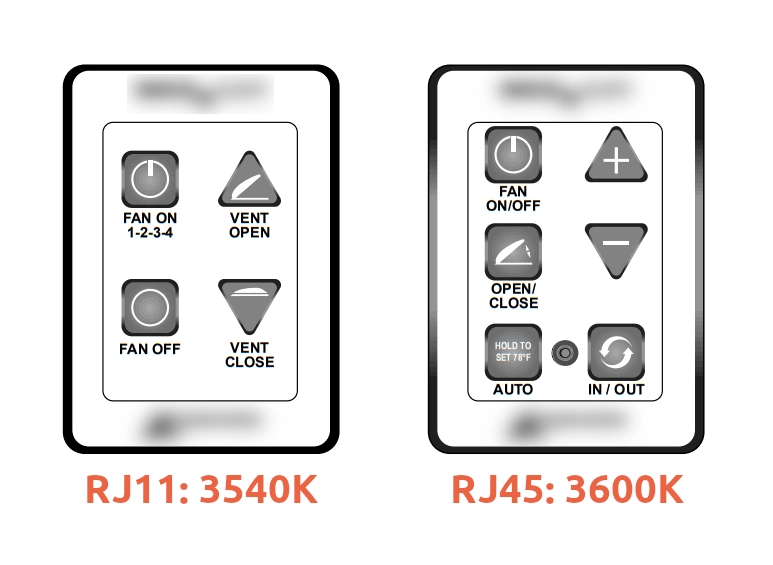
RJ25 (RJ11 / 4C4P) port capabilities
The RJ25 port supports:
- Turn on (and cycle 4 speeds if on)
- Turn off
- Open vent
- Close vent
Notably, the RJ25 port allows explicit open and close commands, rather than a toggle. This makes it possible to reliably set the vent position without first knowing its current state. Many more advanced functions are not available on this connection.
RJ45 port capabilities
The RJ45 port exposes a broader set of functions and is primarily found on Deluxe models. Unlike the RJ25 port, most controls on the RJ45 interface are implemented as toggles, meaning the action depends on the current internal state of the fan.
Functions supported via the RJ45 port:
- On/off toggle
- Open/close toggle
- In/out toggle (reverse airflow)
- Speed up
- Slow down
- Toggle auto temperature
- Read if auto temperature is on
Deluxe fans can actually use both types of ports at the same time. The RJ45 port is the only interface that allows control over airflow direction and auto temperature hold.
